 BudgetGen
Safe to spend before every payday
BudgetGen knows your bills before they hit, so you always see what's really yours to spend.
Tell BudgetGen what you earn and spend, in plain words. It works out what's safe to spend, and answers any question about your money.
7 days free on the yearly plan
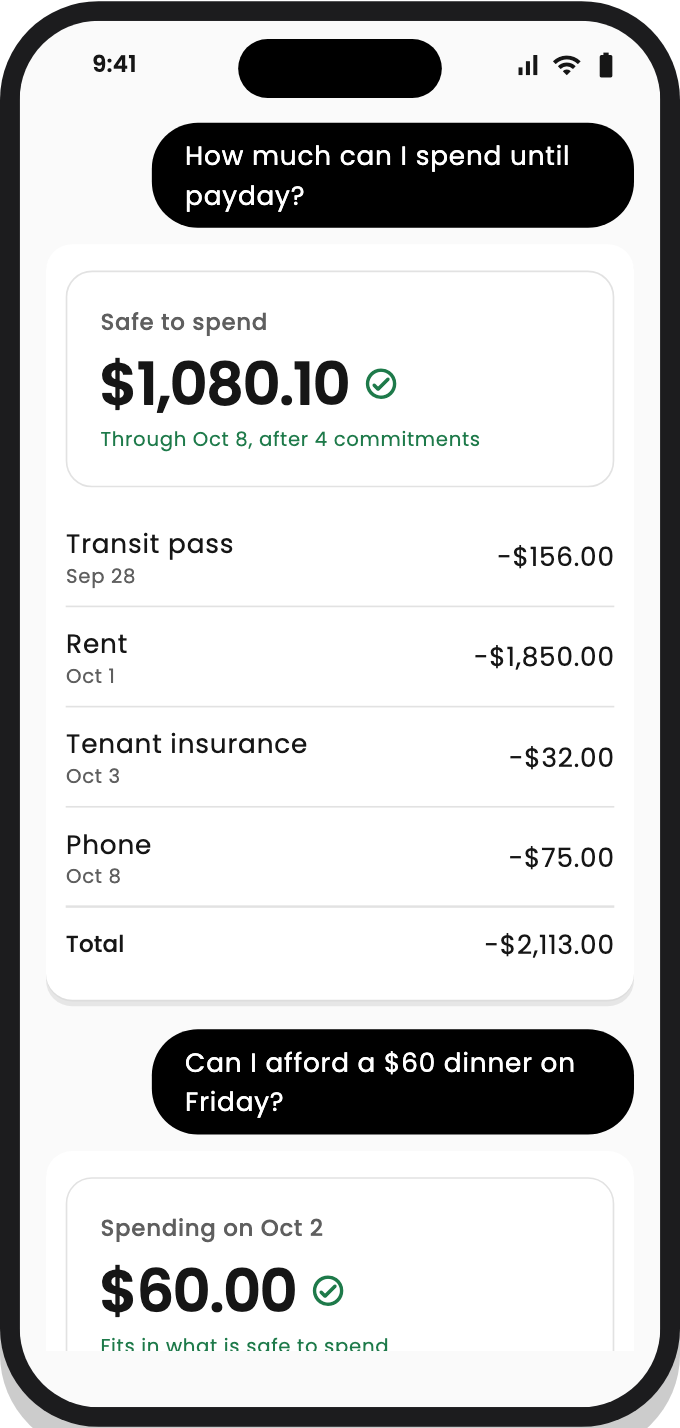
Ask the way you'd ask a friend who's good with money. Every figure is worked out from your own pay, bills and balances.
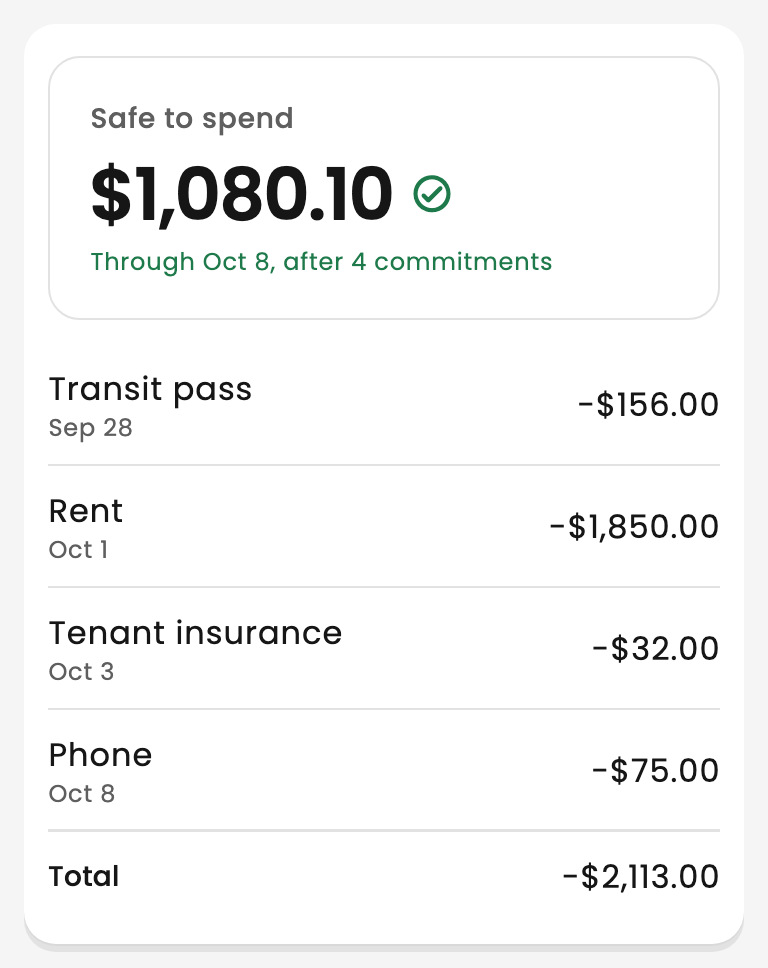
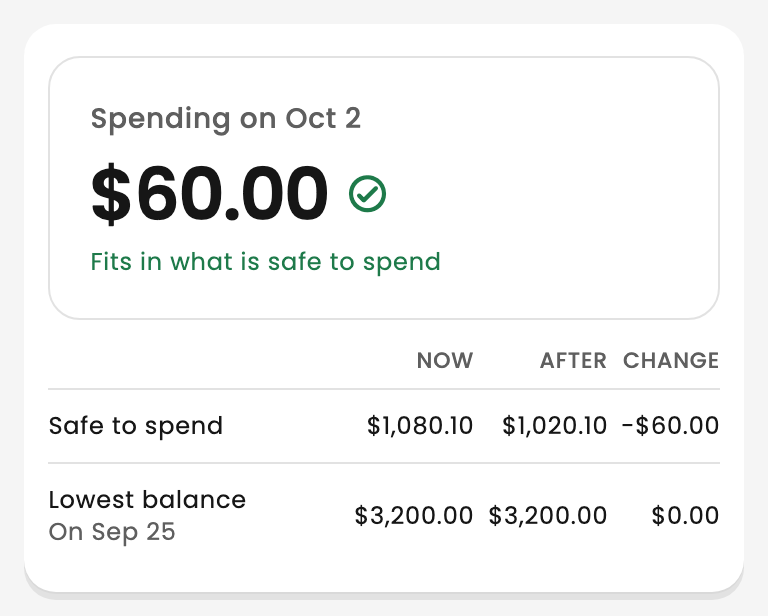
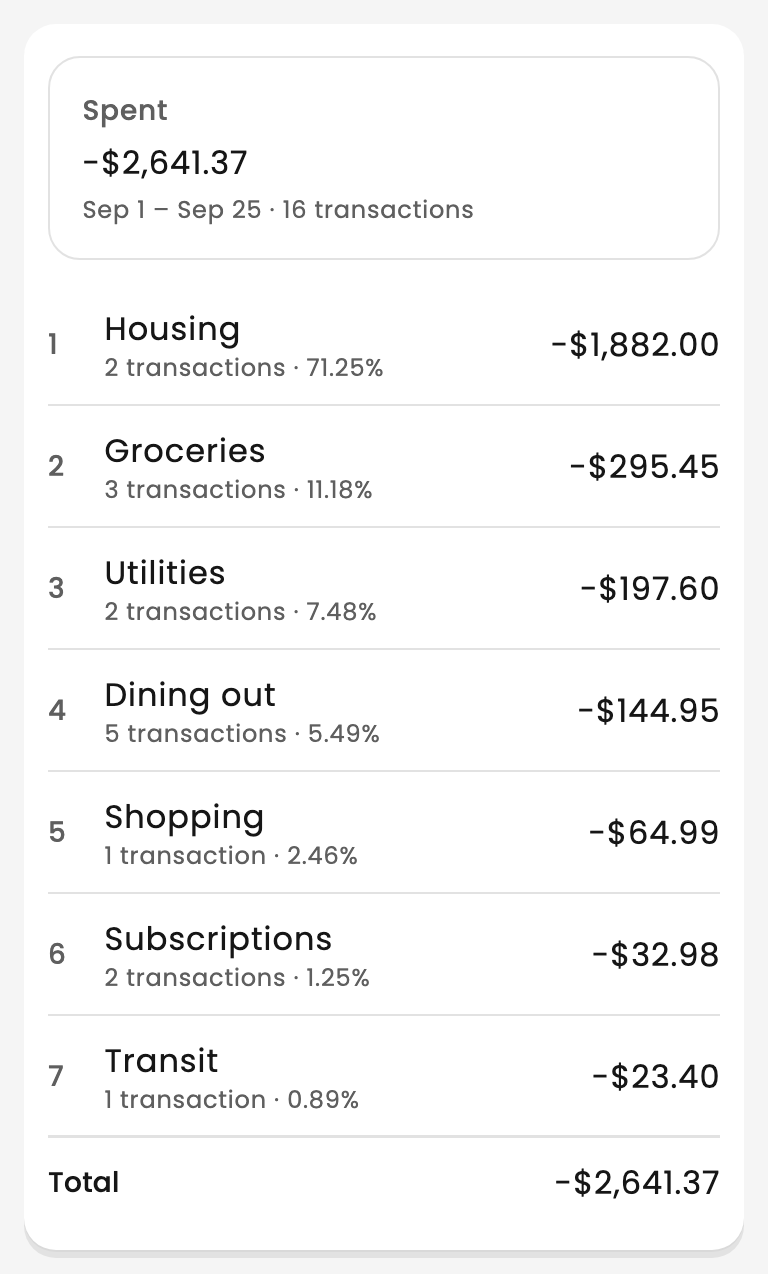
BudgetGen knows your bills before they hit, so you always see what's really yours to spend.
Take a photo and it's read for you. Check it, then save it with one tap.
A heads-up the day before each bill, and a warning if you're heading short before payday.
Saving for a trip or a rainy day? See what to put aside each payday to get there on time.
Invite your partner and plan together: the same bills, the same budgets, the same picture. One subscription covers you both.
Your plan is used only to answer you. Never sold, no ads, and you can delete it anytime.

Your pay, your rent and bills, and what's in your account. No bank login needed.

BudgetGen sets your bills aside and shows what's left until your next payday.
Can I afford it? Where did it go? How do I save for this? Just ask.
Start with the yearly plan and pay nothing for a week. With notifications on, we'll remind you before your trial ends. Cancel anytime.
$49.99 / year
About $4.17 a month: save 58%
$9.99 / month
Billed monthly
Prices in US dollars; the App Store shows the price in your currency. Subscriptions renew automatically unless cancelled at least 24 hours before the end of the period, in your iPhone's Settings.
Start your free trialNo. BudgetGen doesn't connect to your bank. You tell it what you earn, your bills and your balance, which takes about two minutes, and add spending by tapping +, telling the chat, or snapping a receipt.
Your plan is stored securely with Google Firebase and used only to run BudgetGen for you. It’s never sold or used for ads, and you can delete it anytime. Read our Privacy Policy.
The yearly plan starts with 7 days free. With notifications on, we'll remind you before it ends. Cancel anytime before then in your iPhone's Settings, under your name, then Subscriptions, and you won't be charged.
No. One subscription covers your shared plan, so a partner you invite uses BudgetGen without paying. If the subscription ends, or the one who pays leaves the plan, the other can subscribe to keep using it.
No. BudgetGen works out figures from what you tell it and explains them, but it isn't a financial adviser, and its answers can be wrong. For big decisions, talk to a qualified professional.
BudgetGen works in English, in your own currency: Canadian and US dollars, pounds, euros and many more.
BudgetGen is coming to iPhone first. Android is planned.
Know what's safe to spend, every day.